Kuaishou Download Slow? Use VIP Fast Download
Use VIP Fast Download for an eligible Kuaishou video or VIP Fast Package Download for a photo-based work.
Kuaishou Download Slow? Use VIP Fast Download
Kuaishou and Kwai links may lead to a short clip or a work made from several still images. If downloading a public result is slow, parse the link in TapSave and look at the resource type first. Eligible VIP members can use VIP Fast Download for a selected video and VIP Fast Package Download for a photo-based work that needs to be saved together.
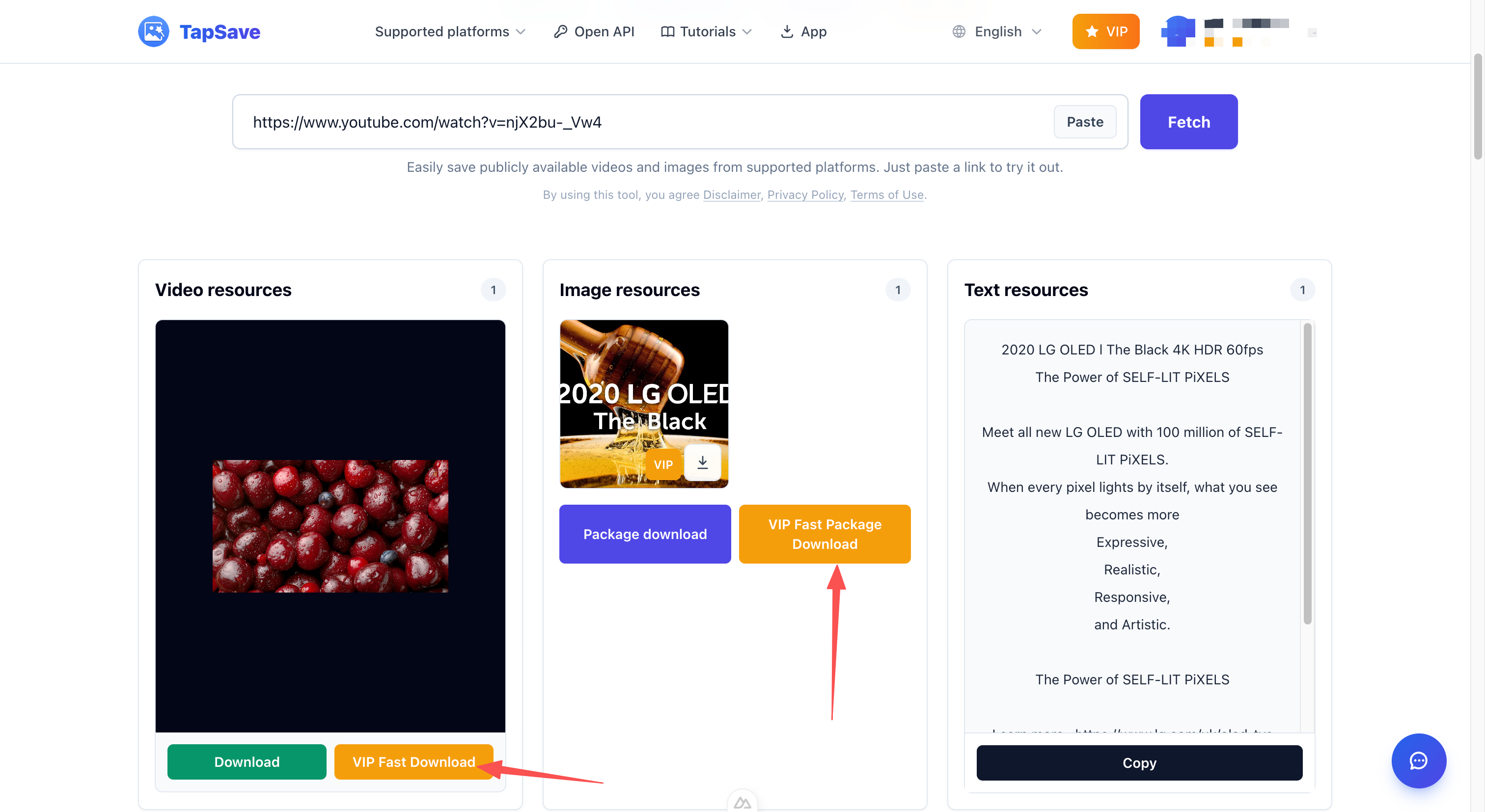
Use the option that fits the work
- Video work: select VIP Fast Download.
- Multiple images: select VIP Fast Package Download.
Steps
- Copy the public Kuaishou or Kwai link.
- Paste it into TapSave Kuaishou Downloader and select Fetch.
- Check the parsed video or image resources.
- Select the relevant VIP button and save the file from the browser.
VIP buttons require an eligible account and may be unavailable for some resources.
Continue with TapSave
Open the matching downloader or continue with a related browser tool.
More Tutorials
Kuaishou / Kwai videos Open API Integration Guide
Use the TapSave Open API to parse a public Kuaishou / Kwai videos link and handle the returned media resources in your application.
Kuaishou / KwaiHow to Download Kuaishou Videos Without Watermark (Free Guide)
Complete tutorial: Download Kuaishou videos in HD quality without watermark using TapSave. Works on Android, iPhone and PC. No registration required.
Kuaishou / KwaiHow to download Kuaishou / Kwai videos on a phone: Step-by-Step Guide
Learn how to download public Kuaishou / Kwai videos on a phone content with TapSave, what to check before downloading, and why available results can vary.
TutorialDouyin Download Slow? Use VIP Fast Download
Use VIP Fast Download for an eligible Douyin video or VIP Fast Package Download for a photo collection.